
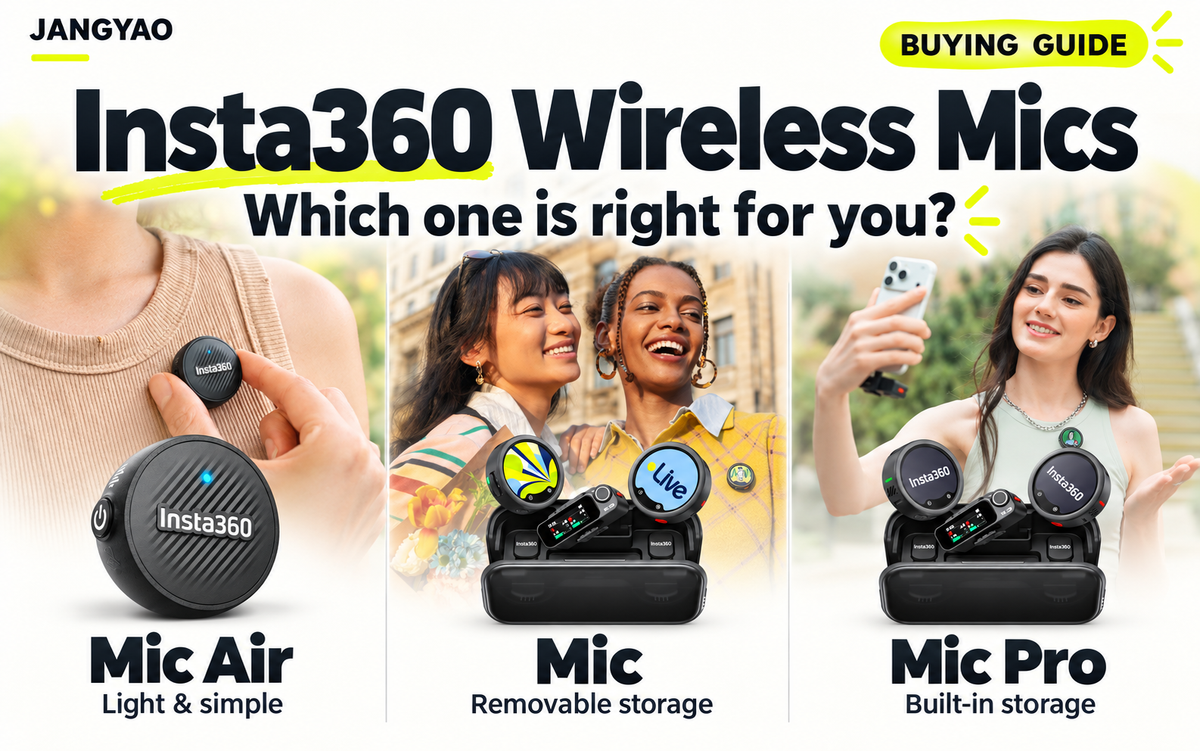
Choose Mic Air when a light, simple setup matters most. Choose the new Insta360 Mic when you want removable recording storage and room to expand. Choose Mic Pro when you prefer built-in storage and selectable directional pickup modes.
The right purchase also depends on your phone or camera, how many people you record, and whether you need a backup audio file. A transmitter-only purchase can be enough for one setup and incomplete for another.
This guide explains the basics, compares the three models, and helps you choose a kit that fits the way you create.
Updated November 1, 2026. Recommendations are based on published manufacturer documentation, rather than hands-on comparative testing.
Quick answer: which Insta360 microphone should you choose?
| Your main priority | Start with | Why |
|---|---|---|
| A small microphone for everyday mobile videos | Mic Air | The lightest wearable option, with a streamlined feature set |
| Vlogs and interviews with local backup recording | Insta360 Mic | Internal recording to a removable microSD card |
| Built-in storage and more pickup options | Mic Pro | 32 GB of onboard memory and a three-microphone array |
| Recording several people or feeding multiple cameras | Mic or Mic Pro | Both support expanded transmitter/receiver configurations |
Treat this as a starting point. Confirm the connection method and included accessories before ordering.
What is a wireless lavalier microphone?
A lavalier microphone is a small microphone worn on clothing, also called a lapel or clip-on mic. Keeping it near your mouth helps capture speech as you move away from the camera.
A typical wireless system has a transmitter (TX) that sends audio and a receiver (RX) that passes it to your recording device. Compact systems often put the microphone inside the wearable transmitter. Some setups instead use a separate tiny lavalier connected to the transmitter.
Think of it as keeping the camera's ears close to your voice. If you walk away from a phone on a tripod, its built-in microphone stays behind. A wearable microphone follows you.
Wireless describes the connection, rather than a guarantee of better sound. Placement, recording conditions, and settings still matter.
Who benefits from a wireless microphone?
A wireless microphone is particularly useful when your video depends on clear speech while your hands are occupied or the camera is several feet away.
Consider a cooking tutorial, a walking travel video, a product demonstration, or an interview. In each case, a wearable mic lets the speaker concentrate on the activity instead of holding a microphone.
For occasional close-up videos in a quiet room, test your phone first. You may already have acceptable audio. For a fixed desk setup, compare a wired or desktop microphone too. Buy wireless because movement or placement creates a problem you need to solve.
Insta360 Mic vs Mic Pro vs Mic Air: the useful differences
| Feature | Mic Air | Insta360 Mic | Mic Pro |
|---|---|---|---|
| Approximate transmitter weight* | 7.9 g / 0.28 oz | 19.4 g / 0.68 oz | 19.7 g / 0.69 oz |
| Customizable E-Ink display | No | Yes | Yes |
| Local recording storage | None | Removable microSD card | 32 GB built-in |
| Internal 32-bit float recording | No | Yes, with a microSD card | Yes |
| Selectable directional pickup modes | No | No | Yes |
| Automatic gain control | No | Yes | Yes |
| Expanded receiver configurations | Up to 2 TX + 1 RX | Up to 4 TX + 1 RX or 2 TX + 4 RX | Up to 4 TX + 1 RX or 2 TX + 4 RX |
Manufacturer weight figures exclude mounting accessories; Mic's figure includes the dummy card. Configuration and output restrictions apply.
Mic Air: choose it for a light, straightforward setup
Mic Air makes sense when you want a small wearable microphone and do not need internal recording. For short videos, ask whether you will use advanced editing or backup features often enough to justify carrying a more capable system.
The main trade-off is the absence of a local recording. If that safeguard matters to you, compare Mic or Mic Pro before deciding. Compatibility should still be checked even when simplicity is your priority.
Insta360 Mic: choose it for removable recording storage
The new Mic occupies the middle of the lineup. Its distinguishing feature is a microSD slot for optional internal recording, including 32-bit float. The card is sold separately; the microphone can still send audio to a supported recording device without one.
For a creator filming tutorials and interviews, this provides a useful choice: record into the video for convenience and enable a local file when you want a backup or more editing flexibility. Removable cards also change how you store and offload recordings.
Mic includes AI noise reduction, automatic gain control, and a customizable E-Ink display. Choose it because those tools fit your routine, and budget for a suitable card if internal recording is part of your plan.
Mic Pro: choose it for built-in memory and pickup control
Mic Pro combines 32 GB of built-in storage with a three-microphone array. Its selectable pickup patterns include omnidirectional, super-directional, cardioid, and figure-8 modes.
In plain English, these give you different ways to capture sound from around the microphone or favor particular directions. They require appropriate placement; a directional mode is not an automatic cure for a noisy location.
Choose Pro when you have a use for that pickup flexibility or prefer integrated storage. Four-transmitter support and multi-receiver configurations are also available on Mic, so those capabilities alone do not require choosing Pro.
Understand three audio features before paying for them
Internal recording: a file saved on the microphone
Internal recording stores audio locally on the transmitter instead of relying entirely on the wireless feed reaching your camera. It can provide a fallback when transmission is interrupted, provided you enabled recording and have available storage.
On Mic, that means inserting a compatible microSD card. On Mic Pro, recordings use its built-in memory. Make checking local recording part of your setup routine rather than assuming that pairing automatically creates a backup.
32-bit float: more flexibility when adjusting levels
32-bit float recording gives compatible editing software more room to adjust recorded levels afterward. It is useful when a conversation suddenly becomes louder, such as an unexpected laugh.
The recording hardware must also support the required dynamic range. The file format cannot remove a necklace rubbing against the microphone or replace missing dialogue. For Mic, 32-bit float applies to internal recordings, rather than every audio feed sent to another device. For a technical explanation, see how 32-bit float recording works.
Noise reduction: help for background sound
Digital noise reduction processes audio to suppress unwanted sound. Physical wind protection addresses wind reaching the microphone, while automatic gain control manages changing recording levels. These tools solve different problems.
Use a windshield outdoors and listen to a test clip. Check whether speech is intelligible and sounds natural in your actual location. A feature labeled AI noise reduction should not replace that check.
Check your camera or phone before choosing a kit
Direct connection to an Insta360 camera
The new Mic supports direct Bluetooth audio with X6, X5, Luna Ultra, Luna Pro, Ace Pro 2, and GO Ultra. A separate receiver is unnecessary for that supported connection.
The number of speakers matters, however. Insta360's current connection guide lists two directly connected transmitters on X6, Luna Pro, and Luna Ultra, but one on X5, Ace Pro 2, and GO Ultra. A camera supporting one microphone does not necessarily support two simultaneously.
For an Insta360 X5 walking vlog, one directly connected transmitter may fit. For a two-person interview, check the receiver connection and channel settings. Update your camera and microphone firmware before pairing.
Phone recording: Bluetooth and receiver connections differ
Do not assume direct Bluetooth works with your phone's normal camera app. For Mic, Insta360 specifies third-party apps for direct phone Bluetooth recording, with 16 kHz audio; the native camera app is not supported through that connection.
A receiver-based setup is the more practical starting point if you want to investigate phone recording without relying on that Bluetooth route. Check the phone, recording app, and adapter together. Mic Air uses a different compatibility path and should not be assumed to offer Mic's direct phone Bluetooth features.
Mirrorless cameras and multi-camera interviews
For a compatible camera with a microphone input, Mic and Mic Pro can connect through the receiver and a 3.5 mm cable.
For interviews, separate the questions of how many transmitters can connect and how many independent tracks your camera records. On Mic, four-channel output requires a supported Sony camera and the official adapter. Standard stereo output with more than two transmitters combines pairs of sources.
A multi-camera interview can instead use a clean main audio recording, with reference sound on the cameras for synchronization. A visible hand clap helps align the recordings.
For U.S. buyers: Insta360's current comparison marks timecode as unsupported in the United States on Mic and Mic Pro. Do not base a U.S. purchase on that feature.
Transmitter only, 1 TX + 1 RX, or 2 TX + 1 RX?
| Kit type | When it makes sense | What to confirm |
|---|---|---|
| Transmitter only | You already have a supported direct connection or compatible receiver | Exact device and pairing support |
| 1 TX + 1 RX | You record one speaker and need a receiver connection | Required phone adapter or camera cable |
| 2 TX + 1 RX | You record a host and guest | Separate-channel support and included accessories |
For group shoots, plan the output and editing workflow before adding transmitters. Check whether the particular bundle includes a charging case, windshields, and adapters.
Mic and Mic Pro can share compatible receivers with the required firmware. Mic Air transmitters cannot pair with Mic or Mic Pro receivers.
Range and battery life: read the conditions
Advertised range is a maximum under specified conditions, not a promise for every shoot. Walls, people, interference, and body orientation can change the connection. Receiver-based range figures should not be applied automatically to direct Bluetooth recording.
Battery figures also describe different things: a transmitter's charge, a receiver's charge, or total use including charging-case recharges. Mic's advertised 34 hours includes the case; its 13-hour transmitter figure was measured with noise reduction and internal recording off. Plan your session around the settings you will actually use.
A simple setup checklist for clearer speech
- Charge the devices you will use and check available storage.
- Connect the microphone, then confirm your device is using the external audio input.
- Clip it roughly 6–8 inches below your mouth as a starting point.
- Keep hair, jewelry, and loose fabric clear of the microphone.
- Add wind protection outdoors.
- Enable internal recording if you want a local backup.
- Record normal speech, movement, and a laugh; play the clip back before filming.
Use this check when filming with an Ace Pro 2 or GO Ultra, too. A successful pairing is only the first step toward a usable recording.
Frequently asked questions
Can Insta360 Mic work without a microSD card?
Yes. It can send audio to a supported camera, phone, or computer without one. A card is required for its internal recording, including 32-bit float.
Does Mic Air record a backup inside the transmitter?
No. Mic Air does not have internal recording. Choose Mic or Mic Pro if a local transmitter recording is important to your work.
Is Mic Pro automatically the right choice for interviews?
No. Mic also supports expanded transmitter configurations. Choose based on speaker count, recording output, storage preference, and whether you need Pro's selectable pickup modes.
Do I need a receiver for an Insta360 camera?
Not for a supported direct Bluetooth connection. Check the exact camera model and simultaneous-transmitter limit before choosing a transmitter-only purchase.
Do all two-microphone kits record separate voices?
Check the selected mode and destination device. Mono can combine voices. A supported stereo or internal-recording workflow can preserve more editing control; verify the arrangement before an important interview.
Choose the microphone that fits your next recording
Start with Mic Air if wearable weight and simplicity lead your decision. Choose Insta360 Mic if removable storage and optional local recording match your routine. Choose Mic Pro when built-in memory and selectable pickup modes have a clear role in your work.
Then confirm the complete setup: recording device, number of speakers, connection method, and included accessories.
Need help choosing? Email support@jangyao.com with your exact camera or phone model, recording app, and number of speakers. JANGYAO can help you check compatibility and kit contents before you order.